











Creating a BetKing account is the first step toward placing bets on football, basketball, and other sports available on the platform. The process is designed to be straightforward, and many Nigerian users can complete the form in a few minutes. You can register from a desktop computer or a smartphone, but you must be at least 18+ to open a betting account.
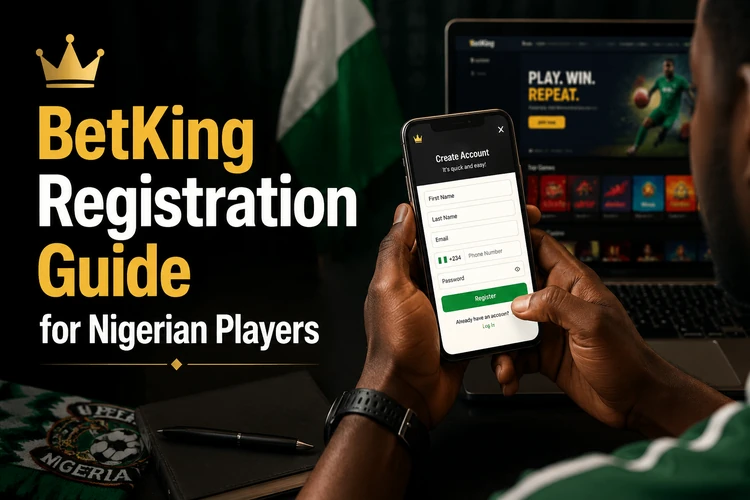
Before you begin, choose an email address and Nigerian phone number that you can access. Keep your personal details consistent with your identification documents, and avoid creating a second profile if you already have an account. Registration does not remove the need to follow the platform’s terms, age rules, and responsible gambling guidance.
BetKing Online Registration
Start by opening the official BetKing website and selecting the registration option on the homepage. The form normally asks for personal details such as your full name, date of birth, email address, phone number, and a password. Read each field carefully before submitting it. A spelling error in your name or an old phone number can make later verification and account recovery more difficult.
Use a password that is unique to your betting account. Do not use an easy combination based on your name, birthday, or phone number, and never give the password or verification code to another person. If the form displays terms or privacy information, review them before accepting. Eligibility is limited to users who meet the applicable age and location requirements.
After you submit the form, follow the confirmation instruction sent to your registered contact details. This may involve entering an SMS code or using a confirmation link. If a message does not arrive, check the number and email address you entered, wait briefly, and request another code only through the official page. Do not share a code with anyone claiming to be a support agent.
Create a BetKing Account on Mobile
Smartphone users can complete registration in a browser without needing a separate download. Open a trusted browser, enter the official website address yourself, and allow the mobile page to adapt to the screen. A stable connection helps prevent the form from refreshing before you finish, especially when uploading information or confirming a code.
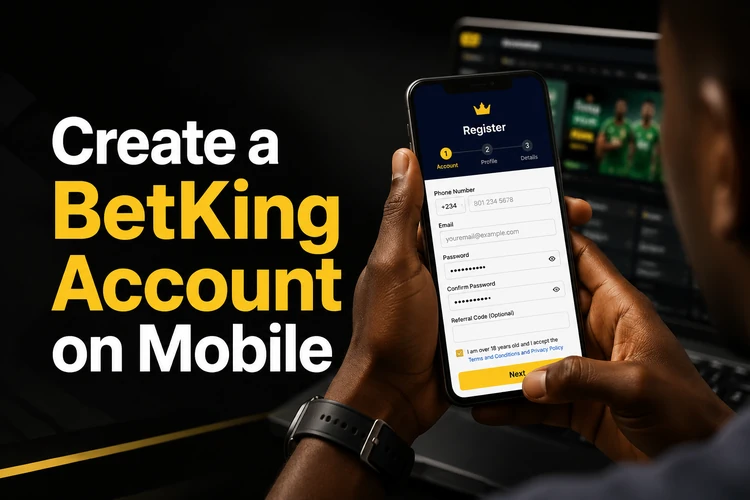
The responsive mobile site uses the same basic account-creation flow as the desktop version, although the fields may appear in a different arrangement. Check that the keyboard has not changed a number or added a space to your email address. If you prefer a dedicated app experience, the BetKing mobile app provides another way to access registration and account features. Install software only from a trusted source and check the publisher before opening it.
Older or lower-specification phones may work better with a lightweight page, but an old interface should not be assumed to be current. If a page looks incomplete, redirects unexpectedly, or asks for unusual information, close it and use the latest official mobile route. After registration, save your login details securely rather than storing them in a public or shared device.
Register with Your Phone Number
A valid Nigerian phone number helps confirm that you control the contact details attached to the account. During registration, an SMS verification code may be sent to the number you provide. Enter the code only on the official form and make sure your phone has network coverage. A number that belongs to another person can create security and recovery problems later.
Your phone number can also support password recovery and important account notices. If you replace your SIM, update your contact information while you can still log in. Keep the device and SIM protected with your normal phone-security settings. Customer support may need to confirm your identity before changing contact details, so provide only information through the official support channel.
Managing Your BetKing Account
After registration, your profile contains personal details, contact information, and security settings. Review these details before making a deposit or requesting a withdrawal. If your name, date of birth, or contact information is incorrect, ask support how it can be corrected instead of opening another account. Duplicate accounts can create avoidable verification issues.
If you forget your password, use the login page and select the visible password-recovery option. Follow the instructions sent to your registered email address or phone number, then choose a new password that you have not used elsewhere. Avoid signing in on public computers, and always log out when using a shared device.
Identity checks may be requested before a withdrawal is processed. Depending on the circumstances, the platform may ask for a government-issued photo ID or other information needed to confirm account ownership. Images should be clear and unaltered, but do not send documents through unofficial social-media accounts or to private individuals. Verification can take longer if the details on the form do not match the documents.
Older Mobile Registration Methods
Some Nigerian customers remember an earlier lightweight mobile interface designed for basic phones and slower 2G or 3G connections. That historical service may be mentioned when people discuss older account access, but its availability and features should not be assumed. A page that no longer loads is not evidence that your existing account has been deleted.
If you registered through an older interface, try the current website or app with the same credentials. If those credentials no longer work, use password recovery or contact support rather than creating a duplicate profile. New customers should use the latest official registration method shown on the current site. It is safer, easier to maintain, and more likely to support current verification and account-management features.
How to Block or Restrict Your BetKing Account
If betting is becoming difficult to control, consider a temporary break or another restriction before placing more bets. Available tools can change, so check the responsible gambling information or ask customer support what options apply to your account. Depending on the request, support may explain deposit limits, time limits, cooling-off periods, temporary suspension, or self-exclusion.
For a permanent closure or self-exclusion request, contact the platform through its official support route and state clearly what restriction you want. Ask how long it will last and whether it can be reversed, because the conditions may differ between a short break and permanent exclusion. The responsible gambling section offers further guidance. If betting is affecting your finances or wellbeing, speak with someone you trust and seek appropriate local support.
FAQ
Many users can complete the form in a few minutes, provided they have their phone and personal details ready. The account may still need phone or email confirmation, so keep access to the registered contact method until activation is complete.
A valid Nigerian phone number is generally requested during registration and may be used for SMS verification and account recovery. Make sure the number is active and belongs to you. Enter any code only on the official registration page.
If an identity check is required, the platform may request a government-issued photo ID and, in some cases, additional information such as proof of address. Requirements can vary. Submit documents only through the secure account or official support channel.
Open the login page and select the password-recovery option shown there. Follow the instructions sent to your registered email address or phone number, then create a new unique password. Contact support if you no longer control either recovery method.
You should use one account per person. Creating a duplicate profile can cause account and verification problems. If you cannot access an existing account, use password recovery or contact customer support instead of registering again.
Contact official customer support and ask about a temporary suspension, cooling-off period, deposit or time limit, or self-exclusion. Explain the level of restriction you need and confirm its duration. The responsible gambling section may provide additional guidance.